
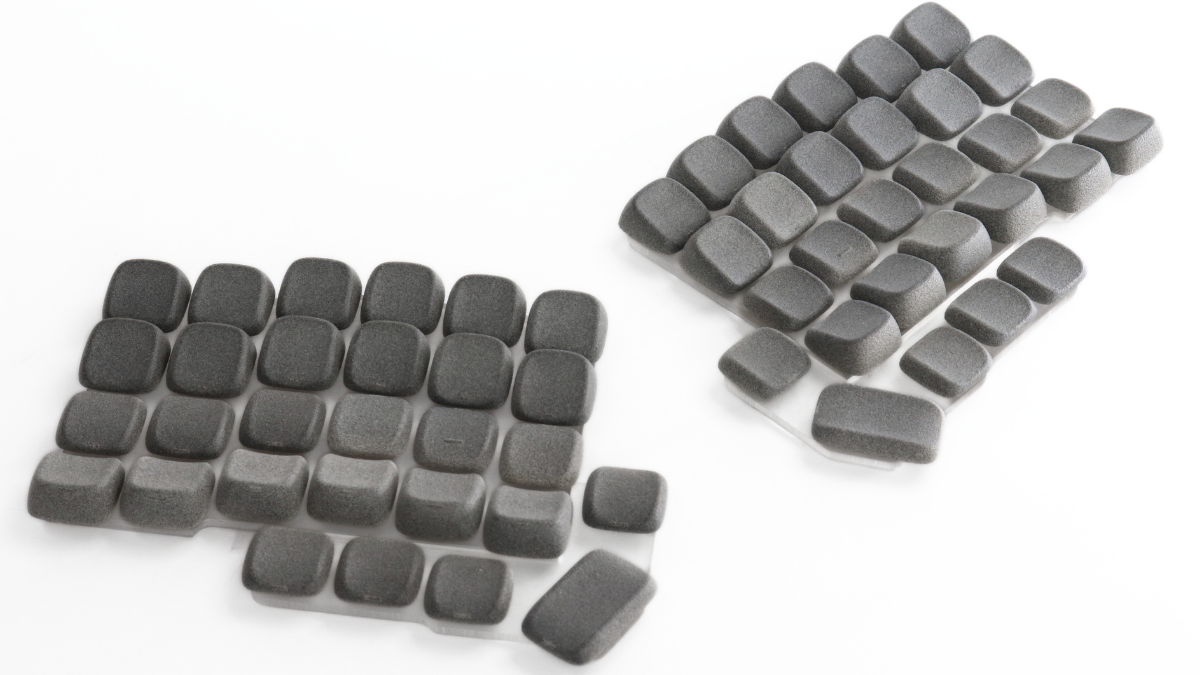
Low-profile mechanical keyboards have become one of the fastest-growing segments of the mechanical keyboard market, offering a sleek design, reduced typing height, and a comfortable typing experience for professionals, programmers, gamers, and keyboard enthusiasts alike. From compact office keyboards like the NuPhy Air and Keychron K Series to ergonomic split keyboards such as the ZSA Voyager, Corne, Totem, and Toucan, more users are choosing low-profile keyboards for work, gaming, and everyday use.
As their popularity grows, so does the demand for high-quality low-profile keycaps. Upgrading from stock keycaps can improve ergonomics, typing accuracy, comfort, and customization, but finding the right set isn't always easy. Different keyboards use different switch types, including Kailh Choc V1 and MX-compatible low-profile switches, making compatibility an important consideration.
Understanding Low-Profile Switch Compatibility
Before buying replacement keycaps, it's important to identify which type of low-profile switches your keyboard uses.

 Kailh Choc V1 switches are commonly found in custom ergonomic keyboards and compact split layouts.
Popular examples include ZSA Voyager, Corne LP, Ferris Sweep, Kyria, Piantor, and Totem.
Because these keyboards are built around Choc switches, they require Choc-compatible keycaps.
If you're looking for a sculpted ergonomic profile while maintaining a true low-profile typing experience, Choc Lame is designed specifically for Kailh Choc V1 switches.
Explore Choc V1 Lame Keycaps:
https://3dkeycap.com/products/klp-choc-keycap-set-low-profile-ergonomic-sculpted-keycaps

 Many low-profile mechanical keyboards use MX-compatible low-profile switches, offering a familiar MX-style stem in a slimmer design.
Popular examples include Corne V4 (MX LP), Lily58 LP, Sofle LP, and Toucan.
These keyboards require MX low-profile keycaps rather than Choc keycaps.
For users who want a comfortable sculpted typing experience without significantly increasing keyboard height, MX Lame is designed specifically for MX-compatible low-profile switches.
Explore MX Lame Keycaps:
https://3dkeycap.com/products/mx-lame-keycap-set-low-profile-ergonomic-sculpted-keycaps

 Many ergonomic split keyboards are also available with standard MX mechanical switches, offering the widest selection of switches and aftermarket keycaps.
Popular examples include Cyboard Imprint, Dygma Defy, Iris, Moonlander, Lily58 (MX version), and Sofle (MX version).
These keyboards require standard MX-compatible keycaps rather than low-profile keycaps.
If you prefer a sculpted ergonomic profile designed for traditional MX keyboards, Extended Lame provides the same ergonomic philosophy while maintaining compatibility with standard MX switches.
Explore Extended Lame Keycaps:
https://3dkeycap.com/products/mx-extended-lame-keycap-set
Best for Low-Profile Keyboards: Lame
For keyboards using low-profile switches, Lame delivers the same ergonomic philosophy in a profile optimized for the low-profile ecosystem.
Its carefully sculpted surface improves finger positioning while preserving the modern appearance and reduced typing height that make low-profile keyboards so appealing.
Choc Lame vs MX Lame vs Extended Lame
Although both versions share the same ergonomic design philosophy, they are built for different switch ecosystems.

The most important factor when choosing between them is switch compatibility. Always select the version designed for your keyboard's switches.
Why Upgrade to Ergonomic Low-Profile Keycaps?
Many stock low-profile keycaps are designed for broad compatibility and cost-effective manufacturing. While functional, they often feature flatter surfaces that prioritize simplicity over ergonomics.
A sculpted low-profile profile offers several advantages:
- Improved finger positioning
- Better typing accuracy
- Reduced finger fatigue
- More comfortable long-term typing
- Enhanced typing confidence
- A more refined overall typing experience
For professionals, programmers, writers, and enthusiasts who spend hours at their keyboards, these small improvements can make a noticeable difference over time.
Build a Low-Profile Keycap Set That's Truly Yours
Once you've identified the right switch type for your keyboard, the next step is creating a keycap set that fits both your layout and your style.
Our Custom Keycap Configurator gives you complete control over your design. Whether you're using a ZSA Voyager, Corne, Lily58, Sofle, Totem, or another low-profile keyboard, you can customize every key with your preferred legends, colors, materials, and profile.

3DKeycap Customizer: https://customkeycaplayout.netlify.app/customize
Share:
Matias & Alps Mechanical Switches Explained